RawPedia
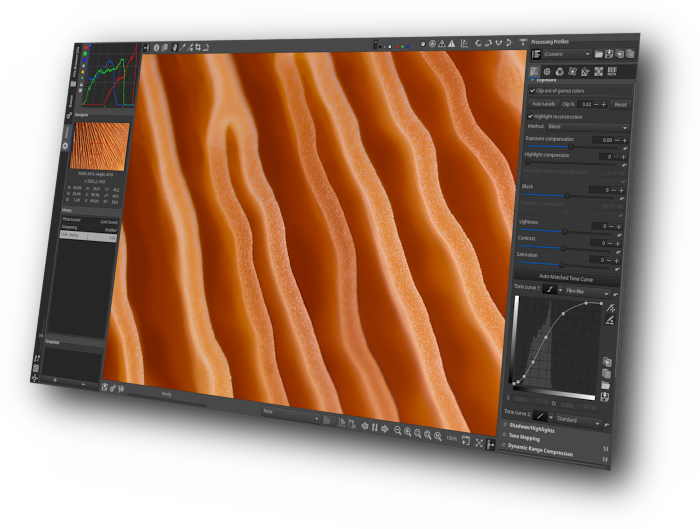
Welcome to RawTherapee’s documentation!
If you’re a new user, don’t miss the Getting Started page to quickly learn your way around this awesome raw image processing program.
If you’re an experienced user, here you have an index of all the topics covered.
General Information
- Getting Started
- Features
- Download
- About Noise Reduction
- Adding Support for New Raw Formats
- Batch Adjustments - Sync
- Bit Depth
- Command-Line Options
- Edit Current Image in External Editor
- Editor
- File Browser
- File Paths
- GIMP Plugin
- ICC Profile Creator
- Keyboard Shortcuts
- Making a Portable Installation
- Preferences
- Queue
- RGB and Lab
- Saving Images
- The Batch Queue
- The File Browser Tab
- The Floating Point Engine
- Toolchain Pipeline
Processing Profiles
- Creating processing profiles for general use
- Dynamic processing profiles
- Sidecar Files - Processing Profiles
Processing Profile Scripts
Bundled Processing Profiles
Tool Description
Exposure Tab
- Dynamic Range Compression
- Exposure
- Graduated Filter
- Lab Adjustments
- Shadows Highlights
- Tone Mapping
- Vignetting Filter
Detail Tab
- Contrast by Detail Levels
- Defringe
- Edges and Microcontrast
- Haze Removal
- Impulse Noise Reduction
- Local Contrast
- Noise Reduction
- Sharpening
- Spot Removal
Color Tab
- Black-and-White
- Black-and-White addon
- Channel Mixer
- Color Management
- Color Management addon
- Color Toning
- Film Negative
- Film Simulation
- Gamut Compression
- HSV Equalizer
- RGB Curves
- Soft Light
- Vibrance
- White Balance
Advanced Tab
Selective Editing
Transform Tab
Raw Tab
- Capture Sharpening
- Chromatic Aberration
- Dark Frame
- Dark-Frame
- Demosaicing
- Flat Field
- Flat-Field
- Preprocessing
- Raw Black Points
- Raw White Points
- Sensor with Bayer X-Trans Matrix
Metadata Tab
Interact
Tutorials
Compiling
Troubleshooting
Localization
RawPedia Contributing
General Photography
- How to convert raw formats to DNG
- How to create DCP color profiles
- How to create LCP profiles
- How to extract and examine ICC profiles
- How to get LCP and DCP profiles
- How to get LCP lens profiles
- How to get Nikon ICM profiles
- How to get Nikon ICM profiles from NX2
- Image file formats and compression
- Watermarking
All Pages
- 8-bit and 16-bit
- About Noise Reduction
- Adding Support for New Raw Formats
- Batch Adjustments - Sync
- Batch Processing Tab
- Batch-Syncs
- Bit Depth
- Black-and-White
- Black-and-White addon
- Bordi e Microcrontasto
- Camconst.json
- Capture Sharpening
- Changes
- Channel Mixer
- Chromatic Aberration
- CIECAM02
- Clipping Indication
- Coding Rawpedia pages
- Color Management
- Color Management addon
- Color Management Tab
- Color Toning
- Command-Line Options
- Comparison_of_the_3_RawTherapee_noise_reduction_tools
- Contrast by Detail Levels
- Contributing
- Creare profili di elaborazione per uso generale
- Creating processing profiles for general use
- Crop
- Dark Frame
- Dark-Frame
- Defringe
- Demosaicing
- Download
- Download_nightly_builds
- Dynamic processing profiles
- Dynamic Range Compression
- Edges and Microcontrast
- Edit Current Image in External Editor
- Editor
- Editor Tab Modes
- Exif Tab
- Exposure
- Favorites Tab
- Features
- File Browser
- File Browser Tab
- File Paths
- Film Emulation
- Film Negative
- Film Simulation
- Flat Field
- Flat-Field
- Forum
- Framing
- Gamma - Differential
- Gamut Compression
- General Comments About Some Toolbox Widgets
- General Tab
- Getting LCP lens profiles
- Getting Started
- GIMP Plugin
- Graduated Filter
- Haze Removal
- How to convert raw formats to DNG
- How to Coverity
- How to create DCP color profiles
- How to create LCP profiles
- How to extract and examine ICC profiles
- How to fix crashes on startup
- How to get LCP and DCP profiles
- How to get LCP lens profiles
- How to get Nikon ICM profiles
- How to get Nikon ICM profiles from NX2
- How to Obtain Nikon Profiles from NX2
- How to PLAY RAW
- How to release RawTherapee
- How to write useful bug reports
- How_to_create_input_DCPs
- HSV Equalizer
- ICC Profile Creator
- Image file formats and compression
- Image Processing Tab
- Impulse Noise Reduction
- IPTC Tab
- IRC
- Keyboard Shortcuts
- Lab Adjustments
- Lens Geometry
- Linux
- Linux GTK2
- Local Adjustments
- Local Contrast
- Local controls
- Local Lab Controls
- MacOS
- Main Page
- Main Page
- Main Page
- Main Page
- Main Page jp
- Main Page pt
- Making a Portable Installation
- Metadata Copy Mode
- Nitidezza
- Noise Reduction
- OS X
- Performance Tab
- Preferences
- Preprocessing
- Preview Modes
- Profili di elaborazione dinamici
- Queue
- Raw Black Points
- Raw White and Black Points
- Raw White Points
- RawPedia Book
- Rawtherapee Processing Challenge
- Resize
- Retinex
- RGB and Lab
- RGB Curves
- Riduzione Rumore Puntuale
- Riduzione_Rumores
- RTbatch
- RTProfileSelector
- Saving
- Saving Images
- Scrollable Toolbar
- Sensor_with_Bayer_X-Trans_Matrices
- Shadows Highlights
- Sharpening
- Sidecar Files - Processing Profiles
- Sidecar Files - Profili di sviluppo
- Soft Light
- Sounds Tab
- Spot Removal
- Supported Cameras
- The Batch Queue
- The File Browser Tab
- The Floating Point Engine
- The Image Editor Tab
- Tone Mapping
- Toolchain Pipeline
- Translating RawPedia
- Translating RawTherapee
- Tutorials
- Unclipped
- Vibrance
- Vignetting Filter
- Watermarking
- Wavelet
- Wavelet Levels
- Waveletnew
- Wavelets
- Wayland
- White Balance
- Windows