Windows
Follow the instructions on this page to compile RawTherapee on Windows using the MSYS2 build environment. For more details on customizing and understanding the build process, see the Linux article.
Note: this guide applies to compiling the 64-bit version of RawTherapee under Windows 7 and newer. Compiling the 32-bit version is no longer supported, nor is compilation on older operating systems. The latest version of RawTherapee to work under 32-bit Windows XP is 5.0-rc1, and can be downloaded here (dated 2017-02-02).
Note that RawTherapee also requires the availability of GTK+ 3.22.24 or newer to have native window support. Without it RawTherapee may exhibit strange behavior, such as maximizing underneath the taskbar in Windows 10. When using an up to date build environment, you should not encounter this problem.
MSYS2 Installation
Install MSYS2 base system
Install the build environment MSYS2 carefully by following the instructions from the MSYS2 website. Make sure to update the system fully until no further updates are available, using the command:
$ pacman -Syu
MSYS2 provides three ‘shells’ (command-line interfaces) for different purposes: MSYS, MinGW 32-bit and MinGW 64-bit. They can be launched through shortcuts in your Start menu. Most commonly you will be running a 64-bit operating system and will want to create applications that are optimized for that. Therefore, start the MSYS2 MinGW 64-bit shell and continue below.
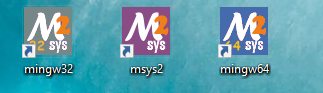
File:Msys2
Note: in following text, C:\msys64
Install tools and libraries
MSYS2 uses the package manager pacman to install software and
components. Please refer to the pacman
manual for details.
First, install a few miscellaneous tools:
$ pacman -S tar gzip nano make diffutils intltool git
Then install the necessary development tools and the required libraries:
$ pacman -S mingw-w64-x86_64-gcc mingw-w64-x86_64-gdb mingw-w64-x86_64-make mingw-w64-x86_64-pkg-config mingw-w64-x86_64-cmake mingw-w64-x86_64-ninja mingw-w64-x86_64-gtkmm3 mingw-w64-x86_64-lcms2 mingw-w64-x86_64-fftw mingw-w64-x86_64-exiv2 mingw-w64-x86_64-lensfun mingw-w64-x86_64-libiptcdata mingw-w64-x86_64-libraw mingw-w64-x86_64-libjxl
Updating Lensfun database
RawTherapee uses the Lensfun library for lens-specific corrections. Run the following command to update the database:
$ lensfun-update-data
The updater returns the path where the updated database is located. Copy this path for later use!
Download and build libiptcdata
Since December 2020 the libiptcdata library is provided by MSYS2 and
no longer requires manual compilation. Only if you experience
problems using this library, follow the instructions below to
manually build it. Otherwise, continue to the next section.
$ cd ~
$ curl -LO http://downloads.sourceforge.net/project/libiptcdata/libiptcdata/1.0.4/libiptcdata-1.0.4.tar.gz
$ tar xzf libiptcdata-1.0.4.tar.gz
$ cd libiptcdata-1.0.4
$ ./configure --prefix=/mingw64
Some modifications to the resulting Makefile are needed. You can edit
the file with any text editor (either through your OS or from within the
shell). We use the nano editor from within the shell:
$ nano Makefile

# search (command Ctrl+W)
DIST_SUBDIRS = m4 libiptcdata po iptc docs win python
# and replace with
DIST_SUBDIRS = m4 libiptcdata po win python

# search
SUBDIRS = m4 libiptcdata po iptc docs win $(MAYBE_PYTHONLIB)
# and replace with
SUBDIRS = m4 libiptcdata po win $(MAYBE_PYTHONLIB)

# save and quit
Ctrl+X, Y
Finally build and install the library:
$ make install
Clone and build RawTherapee
Clone RawTherapee’s git repository.
RawTherapee’s source code can be cloned from the official GitHub repository:
$ cd ~
$ git clone git://github.com/Rawtherapee/RawTherapee.git
$ cd RawTherapee
Switching branches
After cloning you will automatically have checked out the dev branch.
This is the main development branch of RawTherapee and probably what you
want to use. To switch to a different branch, do the
following:
$ git checkout branchname # replace with another available branch name
Create a separate directory for the build
It is essential to create a new directory to build the application. The directory can have any name, for example:
$ mkdir build
$ cd build
Note: if you switch branches, always build in an empty directory to
prevent issues. From within a build directory, you can run rm -rf * to
remove all files.
Configuration and compilation
To create an optimized build for your machine architecture, use the following commands:
$ cmake -G "Ninja" -DLENSFUNDBDIR=put/your/lensfun/directory/here -DCMAKE_BUILD_TYPE="release" -DWITH_SYSTEM_LIBRAW="ON" -DPROC_TARGET_NUMBER="2" -DCACHE_NAME_SUFFIX="5-dev" ..
$ cmake --build . --target install
If you want to fully utilize the Libraw functionality (the library integrated into Rawtherapee)
$ cmake -G "Ninja" -DLENSFUNDBDIR=put/your/lensfun/directory/here -DCMAKE_BUILD_TYPE="release" -DWITH_SYSTEM_LIBRAW="OFF" -DPROC_TARGET_NUMBER="2" -DCACHE_NAME_SUFFIX="5-dev" ..-DCACHE_NAME_SUFFIX="5-dev" ..
$ cmake --build . --target install
Make sure to replace the path to the Lensfun database with the actual path obtained a few steps before. See the Linux article for more details on the various options. Depending on your system, the build process may take anywhere between 3 and 25 minutes.
- JPEG XL read support depends on libjxl. By default, RawTherapee builds with JPEG XL support if and only if libjxl is present. Use -DWITH_JXL=“ON” or DWITH_JXL=“OFF” to explicitly enable or disable, respectively, JPEG XL support.
- RawTherapee builds with a custom version of LibRaw by default. To use the system LibRaw, use -DWITH_SYSTEM_LIBRAW=“ON”. Requires LibRaw >= 0.21.
There may be warnings during the build process which you can safely ignore. Errors that are not traceable to a mistake when following this guide should be reported here.
Starting RawTherapee
RawTherapee can now be run:
$ ./release/rawtherapee.exe # replace release with debug or relwithdebinfo if you built another target
Optional: preloaded CMake cache
As described in the CMake manual
-C <initial-cache>

    Pre-load a script to populate the cache.

    When cmake is first run in an empty build tree, it creates a CMakeCache.txt file and populates it with customizable settings for the project. This option may be used to specify a file from which to load cache entries before the first pass through the project’s cmake listfiles. The loaded entries take priority over the project’s default values. The given file should be a CMake script containing SET commands that use the CACHE option, not a cache-format file.
To simplify the invocation of CMake and be able to easily define Windows
specific options, a win.cmake template script is provided with the
sources. Copy it out of RawTherapee’s source to avoid overwriting by
update for instance in mywin.cmake. Edit it to define or modify
options. To preload the cache, in the CMake command line:
$ cmake -G "Ninja" -DLENSFUNDBDIR=share/lensfun -DCMAKE_BUILD_TYPE="release" -DPROC_TARGET_NUMBER="2" -DCACHE_NAME_SUFFIX="5-dev" -C <path/to/mywin.cmake> ..
Making a bundled build
This section only applies if you want to run RawTherapee outside the MinGW shell or distribute it.
Note: You can copy either with the Windows file manager or, recommended,
with
robocopy
inside the mingw64 shell script using - instead of / for the
options.
Definition of folders
is \mingw64,is the MSYS2 installation folder, - and
.is the RawTherapee installation folder.
Copy RawTherapee executable and generated files
Copy the content of
c:\code\repo-rt\build\<debug|release|relwithdebinfo> into ..
Copy the dependencies
(jdc) I am not at all a specialist (I think missing files …)
Copy the necessary DLLs and exe from \bin into .. The
current list of required DLLs and EXE is:
gspawn-win64-helper.exe
gspawn-win64-helper-console.exe
gdbus.exe
libatk-1.0-0.dll
libatkmm-1.6-1.dll
libbz2-1.dll
libbrotlicommon.dll
libbrotlidec.dll
libcairo-2.dll
libcairo-gobject-2.dll
libcairomm-1.0-1.dll
libdatrie-1.dll
libdeflate.dll
libepoxy-0.dll
libexpat-1.dll
libffi-7.dll
libfftw3f-3.dll
libfontconfig-1.dll
libfreetype-6.dll
libfribidi-0.dll
libgcc_s_seh-1.dll
libgdk_pixbuf-2.0-0.dll
libgdk-3-0.dll
libgdkmm-3.0-1.dll
libgio-2.0-0.dll
libgiomm-2.4-1.dll
libglib-2.0-0.dll
libglibmm-2.4-1.dll
libgmodule-2.0-0.dll
libgobject-2.0-0.dll
libgomp-1.dll
libgraphite2.dll
libgtk-3-0.dll
libgtkmm-3.0-1.dll
libharfbuzz-0.dll
libiconv-2.dll
libintl-8.dll
libjbig-0.dll
libjpeg-8.dll
liblcms2-2.dll
liblensfun.dll
liblerc.dll
liblzma-5.dll
libpango-1.0-0.dll
libpangocairo-1.0-0.dll
libpangoft2-1.0-0.dll
libpangomm-1.4-1.dll
libpangowin32-1.0-0.dll
libpcre-1.dll
libpixman-1-0.dll
libpng16-16.dll
librsvg-2-2.dll
libsigc-2.0-0.dll
libstdc++-6.dll
libsystre-0.dll
libthai-0.dll
libtiff-5.dll
libtre-5.dll
libwebp-7.dll
libwinpthread-1.dll
libxml2-2.dll
libzstd.dll
zlib1.dll
Copy the following list of Adwaita theme files and directories from
\share\icons\Adwaita\ to .\share\icons\Adwaita\:
scalable\actions
scalable\devices
scalable\mimetypes
scalable\places
scalable\status
scalable\ui
index.theme
cursors\plus.cur
cursors\sb_h_double_arrow.cur
cursors\sb_left_arrow.cur
cursors\sb_right_arrow.cur
cursors\sb_v_double_arrow.cur
Copy following files :
<prefix>\lib\gdk-pixbuf-2.0 -> .\lib\gdk-pixbuf-2.0
<prefix>\share\glib-2.0\schemas\gschemas.compiled -> .\share\glib-2.0\schemas
<prefix>\share\lensfun\version_1\* -> .\share\lensfun
Create in .\share\gtk-3.0 a file settings.ini containing :
[Settings] gtk-button-images=1
Creating a distributable package
If you plan to distribute RawTherapee packages for the Windows platform,
as a first step you need to make sure that RawTherapee will be built for
the “generic” processor target. To do so, use -DPROC_TARGET_NUMBER="1"
in the CMake command.
During compilation, a script named WindowsInnoSetup.iss is created in
the RawTherapee installation folder. This script is used by Inno Setup
1, a program which is used to
generate installers for Windows programs. It is advised to download the
Unicode version
2 to avoid
problems with some languages.
To help users write useful bug reports, package maintainers are encouraged to produce builds which include both a “release” and a “debug” executable, and to bundle them together with the GDB debugger executable.
In other words, put the rawtherapee.exe (release) file together with
the rawtherapee-debug.exe (debug) file and the gdb.exe file together
into the same installer or the same archive. An alternative is to
produce “relwithdebinfo” builds - these are much faster than “debug” but
not as optimized as “release” builds, yet they provide just about as
much useful information as “debug” builds.
When making “relwithdebinfo” or “debug” builds you must provide the GDB
debugger executable. Windows binaries of the debugger gdb.exe can be
downloaded from
here in 32- and
64-bit versions and will be copied into Rawtherapee installation folder.
Now that everything is set up, to create the package right-click on the
WindowsInnoSetup.iss script and choose Compile from the context
menu. It will automatically generate the installer and place it in the
parent folder.
To make your new package compatible with the RawTherapee website’s
upload panel, create a zip archive in which you will place both the
newly created installer and the corresponding AboutThisBuild.txt file
which can be found at the same place. Name the resulting zip archive
following this template:
RawTherapee__win64_.zip
If you are building and distributing nightly builds, follow this
template: RawTherapee___win64_.zip
- “win64” means it can run on 64-bit Windows (in effect, only Windows 7 and newer is officially supported).
- The “version” will either look like
5.8if you checkout the5.8tag, or5.8-g35abd92
if you checkout the dev branch after 5.8 was tagged.
- If you are shipping more than one build type in an installer, don’t
include
in the name.